FreeCell Solitaire Classic
FreeCell Solitaire Classic is a simple but elegant version of the well-known card game. You play this game with a single deck of 52 playing cards. The aim is to move all 52 cards to the foundation piles, while using the four ‘free cells’ to store cards you cannot use right away.
How do you play FreeCell Solitaire Classic?
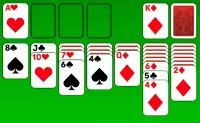
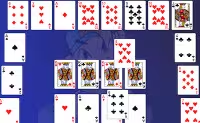
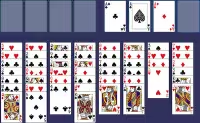
In this solitaire game, the whole deck is used to create 8 columns, and all the cards are dealt face up. This makes free cell an ‘open’ game, meaning that you can see where all the cards are. The aim is to rearrange the cards so that you can eventually move them to the four foundation piles at the top right side of the screen.
To do this, you will have to stack the cards in sequence within the tableau. Here, the cards are stacked in defending order, from king to ace, while alternating the red and black cards. You can pick up single cards, but you can also move whole sequences in one go.
When moving cards to the foundation stacks, you must arrange the cards by suit, however. The cards must also be moved to the foundations in ascending order, starting with the aces and working your way up to the kings.
How to use the ‘free cells’ in this card game?
During the game, you can pick up any card and store it in one of the four empty cells on the left side above the tableau. However, placing cards in the free cells reduces the number of cards you can pick up with each move in the tableau.
If one cell is occupied, you can only move a sequence of four cards in the tableau. If two cells are occupied, the number of cards you can move drops down to three. When all four cells are occupied, you can only pick up a single card at a time.
When you move any cards to the free cells, it’s good to be mindful of whether you can place them back in the tableau again any time soon.
When was FreeCell Solitaire Classic first published?
This game was first released on November 2, 2021.
Who made FreeCell Solitaire Classic?
This game was created by Famobi. The same developer also made a number of other popular games, including the card game Solitaire Classic, the puzzle game Butterfly Shimai, and the skill game Color Tunnel FM.
About this game
- Rating:
- 3.3
- Votes:
- 13025
- Publication date:
- April 2017
Controls
- Use your mouse
-